How to Build a Website with Claude Code (No Coding)
Yes, you can build a real website with Claude Code without writing code. The honest step-by-step, how long it takes, and where people get stuck.
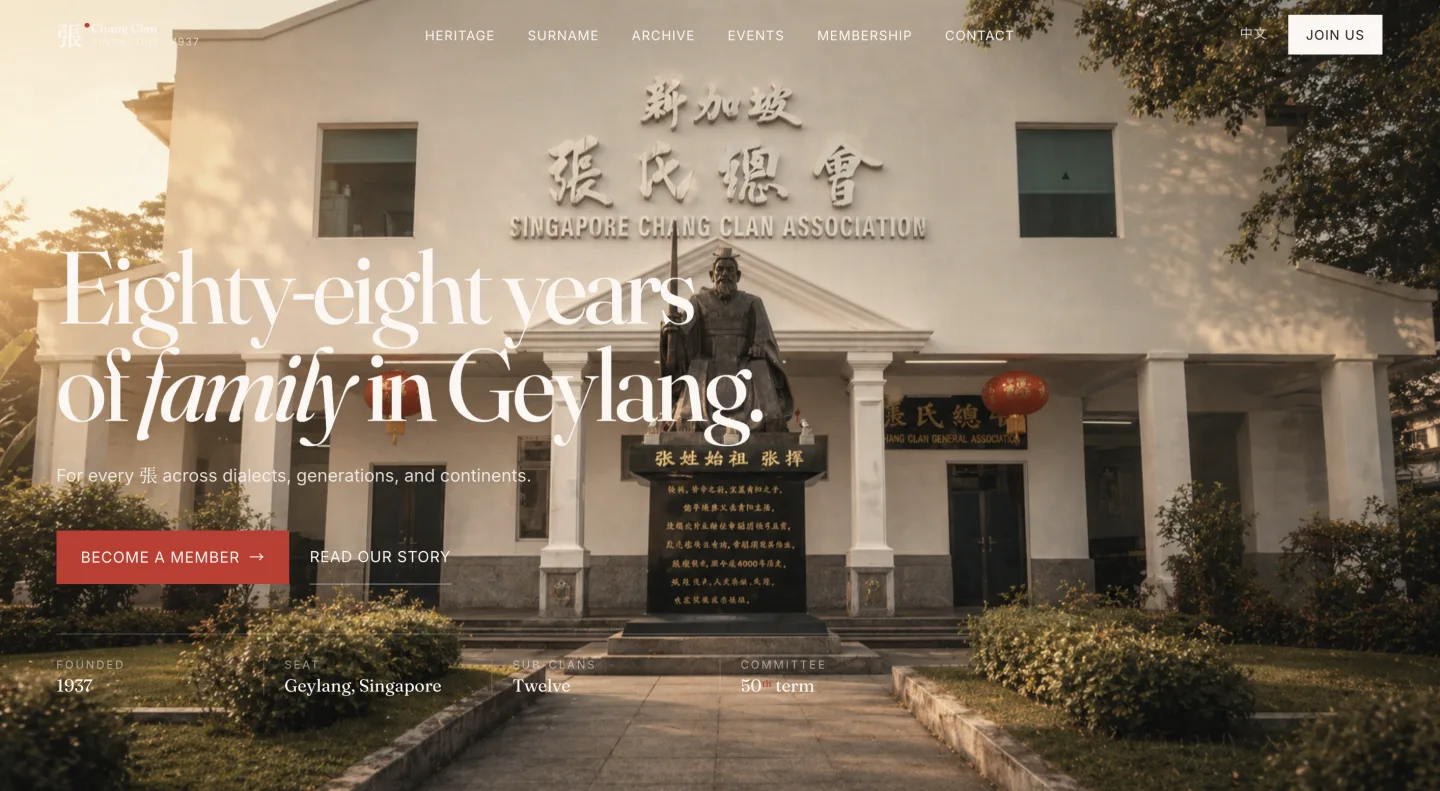
You do not need to know how to code to build a website any more. I built CheckHowMuch.sg, a 9,700-page property site, with Claude Code and zero developers. I rebuilt an 88-year-old clan association’s bilingual site in an afternoon. I am not an engineer. If you can describe the site you want, you can build it.
Here is the honest version of how, including the part most guides skip: getting it actually online.
What you need before you start
- A computer. Mac or Windows, nothing special.
- A paid Claude plan. Claude Code needs one. Claude Pro at about US$20 a month is enough to build a site.
- A clear idea of the site. Not a design, just the answer to “what is this site for and what goes on it”. Vague ideas produce vague sites.
- An afternoon. A simple site is a few hours, not a few weeks.
You do not need to know HTML, hosting, or what a domain is. Claude Code handles the technical parts. Your job is the brief and the judgement.
The actual steps
- Describe the site in plain English. “Build me a one-page site for my coaching business. A hero with my name and tagline, an about section, three services, and a contact form. Warm and professional, not corporate.” The more specific the brief, the closer the first draft.
- Look at it and react. Claude Code builds it and shows you a preview in your browser. You will not like all of it. Good. Tell it what to change in normal words: “make the hero taller”, “the green is too loud”, “move the contact form up”.
- Iterate until it is right. This back-and-forth is the whole job. It is closer to art-directing than to programming.
- Get it online. This is the step that trips people up, so do it with help the first time. Your site needs a home on the internet. Claude Code can walk you through putting it on a free host (Cloudflare Pages, Netlify, and Vercel all have free tiers) using a free GitHub account. It sounds technical. Claude Code does the technical part. You click the buttons.
- Point your domain (optional). If you bought a domain, you connect it to the host. Again, ask Claude Code to walk you through it for your specific host.
How long it really takes
Honestly:
- A simple personal or business site: an afternoon.
- My Chang Clan rebuild: about three hours, and that was bilingual with real heritage content.
- A 9,700-page site: longer, obviously, but built with the same method, just automated to repeat across thousands of pages.
The first site is the slow one because you are learning the loop. The second is much faster.
Where people get stuck
Three places, every time:
- Deployment. Building the site feels easy. Getting it live feels scary. It is not hard, but it is unfamiliar, which is exactly why doing it once with someone beside you saves hours.
- Scope creep. “While we are here, can it also…” Ship the simple version first. Add later.
- Not knowing what to build. The blank page is the real enemy, not the technology. Decide the one job of the site before you open Claude Code.
The fastest way through
You can do all of this alone. Most people who try get stuck at deployment and quietly give up, not because they could not do it, but because they hit one unfamiliar step with no one to ask.
If you are in Singapore, join the AI Power Users community. It is free, and the Claude Cowork meetups are built for exactly this: build your first site in a room, get past the scary step with help, walk out with something live. If you want a whole team shipping in one day rather than one person, the team training closes that loop.
New to the tool itself? Start with Claude Code for non-developers. Still deciding whether to pay for it? See is Claude Code worth it if you can’t code.
Frequently asked
- Do you need to know HTML or CSS to build a website with Claude Code?
- No. You describe the site in plain English and Claude Code writes the HTML, CSS, and everything else. Your job is the brief and the judgement on whether it looks right, not the code itself.
- Where can I host a website built with Claude Code for free?
- Cloudflare Pages, Netlify, and Vercel all have free tiers that work well for most personal and small business sites. Claude Code can walk you through putting your site on any of them step by step.
- Do I need a GitHub account to put my site online?
- Usually yes, and it is free. GitHub is where your site's code lives so a host can publish it. It sounds technical, but Claude Code handles the technical part and you just click through the setup once.
- How long does it take to build a website with Claude Code?
- A simple personal or business site takes an afternoon. I rebuilt an 88-year-old clan association's bilingual website in about three hours. The first site is the slow one because you are learning the loop. After that it is much faster.
- Can I use my own domain name?
- Yes. If you have bought a domain, you connect it to your host, and Claude Code can walk you through it for your specific setup. A domain usually costs around US$10 to US$15 a year, separate from the Claude plan.